
Download coördinate-raster for programming – coordinate grid, programming, design tool, transparent overlay, Tkinter, UI layout, alignment tool, grid overlay, development utility, Python tool
Overview
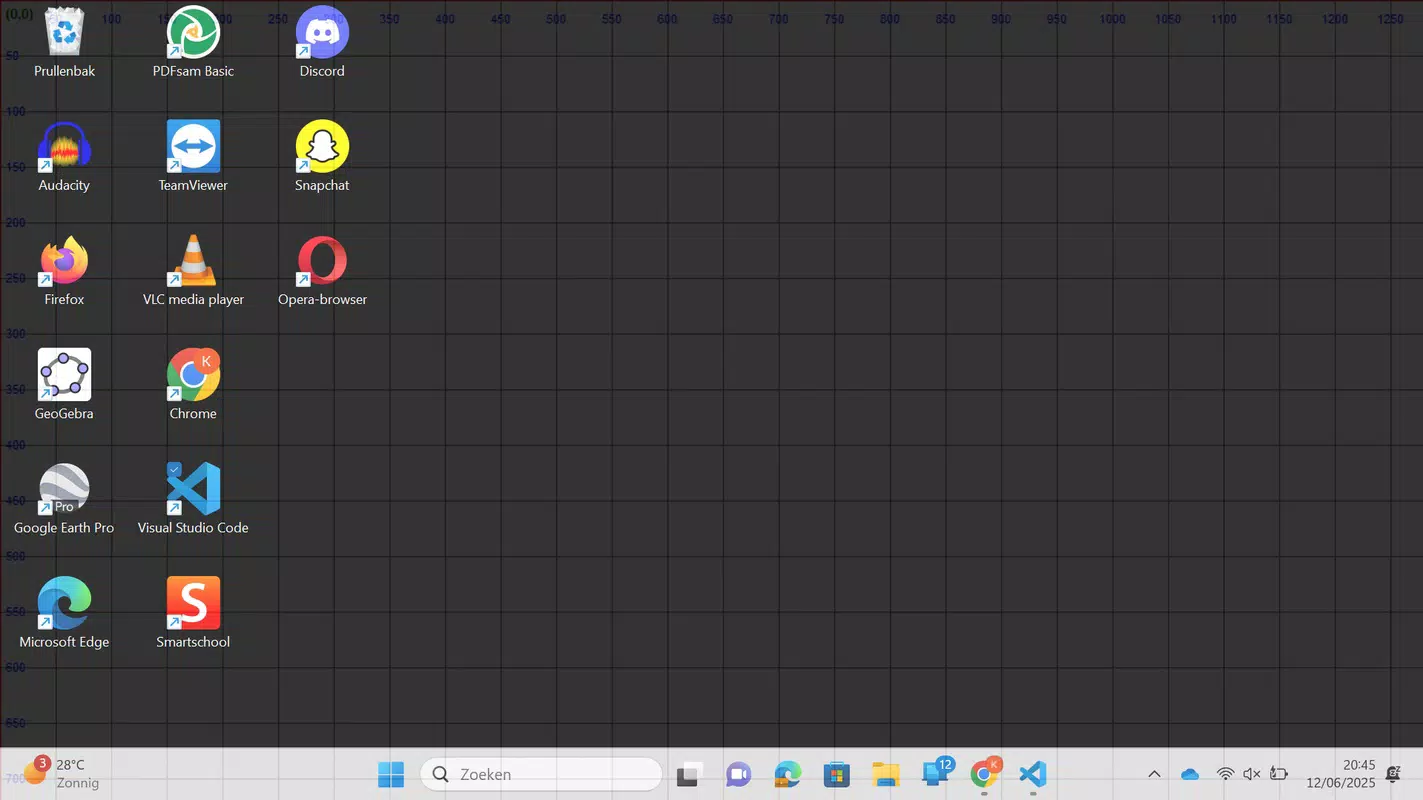
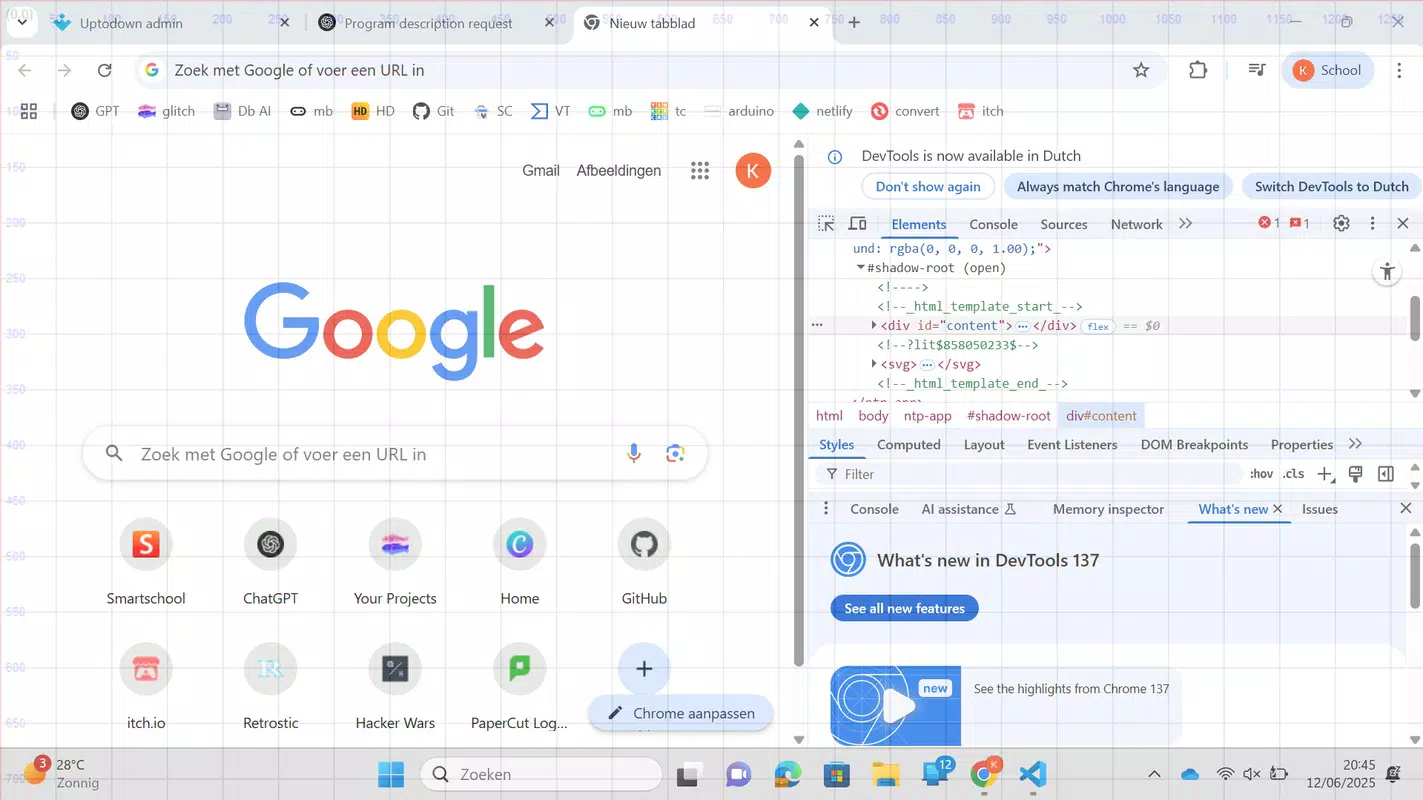
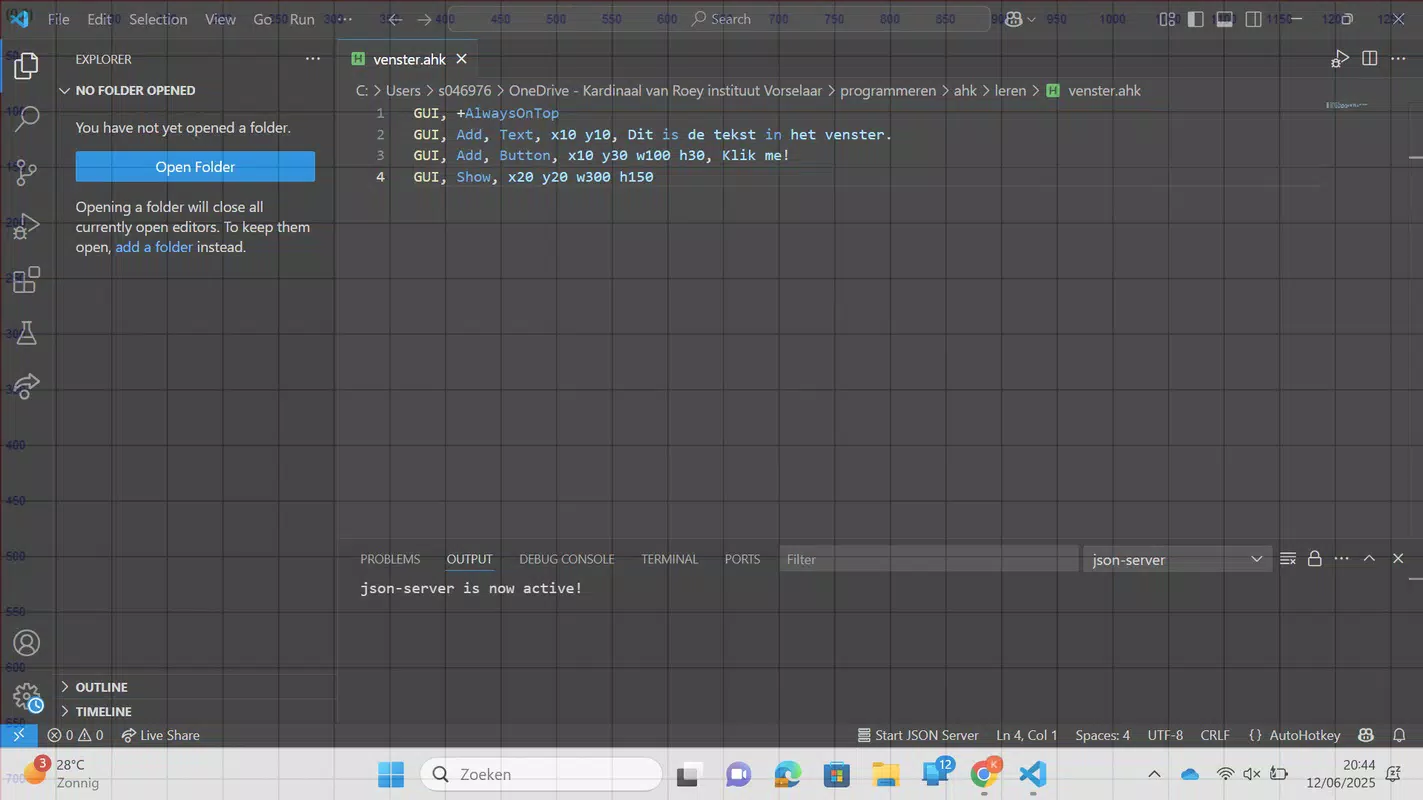
coördinate-raster for programming is a specialized utility designed to assist developers and designers in achieving precise alignment and spatial awareness during application and interface development. Built using Python’s Tkinter library, the tool functions as a fullscreen transparent overlay featuring a customizable coordinate grid. Its primary purpose is to enhance workflow efficiency by providing a visual reference system for positioning elements on screen, particularly in UI design and layout development. The app is especially useful in multitasking environments where users need to reference spatial coordinates while working across multiple applications.
Target users include front-end developers, UI/UX designers, and programmers who work with graphical interfaces or need to align elements with pixel-perfect accuracy. The app addresses common challenges such as inconsistent spacing, misaligned components, and difficulty visualizing coordinate systems during rapid prototyping or debugging. Real-world use cases include designing responsive layouts, aligning buttons or icons in a grid, and verifying pixel distances in complex visual interfaces. By offering a persistent, non-intrusive overlay, coördinate-raster contributes to a more structured and accurate development process.
The developer, Jason A. Bilbrey, has created a lightweight yet effective solution focused on simplicity and functionality. Although no additional background information about the developer’s previous projects was provided, the app’s clean design and purpose-driven features suggest a strong understanding of developer workflows. In the broader app ecosystem, coördinate-raster fills a niche for minimal, free tools that enhance productivity without requiring complex setup or integration.
Key Features & Functionality
- Customizable Grid Spacing: Users can adjust the grid spacing, with a default of 50 pixels. This allows for flexibility in adapting the grid to different design scales, whether working on high-density interfaces or low-resolution layouts. For instance, a designer working on a mobile app might reduce the spacing to 10 pixels for finer control, while a web developer might use 100-pixel increments for broader alignment.
- Always On Top Overlay: The grid remains visible above all other windows, ensuring continuous access during development. This feature is particularly valuable when referencing coordinates while editing code or using design software, eliminating the need to switch between applications.
- Clear Origin Marking: The origin point (0,0) is marked in red, providing a distinct visual anchor. This helps users quickly identify the starting position of any layout, reducing errors in positioning and improving consistency across multiple design iterations.
- Minimal Interface with 20% Opacity: The overlay uses a low opacity setting to remain visible without distracting from underlying content. This design choice supports a distraction-free workflow, allowing users to focus on their primary tasks while still benefiting from the grid reference.
- Quick Exit Options: Pressing the 'q' key or the Escape key instantly closes the overlay. This enables rapid toggling, making the tool ideal for intermittent use during development sessions without disrupting workflow.
These features collectively support a seamless integration into daily development routines. Whether aligning UI components, debugging layout issues, or creating mockups, the app provides a consistent visual framework that enhances precision and reduces manual estimation errors.
Interface, UX & Performance
The interface of coördinate-raster for programming is intentionally minimal, reflecting its utility-focused design. The fullscreen transparent overlay presents a clean grid pattern without additional controls or visual clutter. Navigation is straightforward: users launch the app and begin using the grid immediately, with no setup or configuration required at startup. The visual style prioritizes clarity and subtlety, ensuring the grid remains a helpful reference rather than a hindrance.
Interaction is limited to basic keyboard inputs—specifically the 'q' and Escape keys—for exiting the overlay. This simplicity enhances usability, especially in fast-paced development environments. Although the developer did not list formal performance metrics, the app’s lightweight nature (10.2 MB) suggests efficient resource usage. It is expected to run smoothly on standard Windows systems, even on devices with limited processing power.
Responsiveness is consistent, with the overlay appearing instantly upon launch and adjusting dynamically to window changes. Stability appears reliable, as the app does not require background processes or external dependencies beyond the standard Python runtime. The minimal interface ensures that the tool does not interfere with other applications, maintaining a smooth multitasking experience. Overall, the UX is optimized for utility, with a focus on reducing friction between the user and their development tasks.
Platform Compatibility & Technical Requirements
coördinate-raster for programming is available for Windows, making it accessible to a broad base of developers and designers using the desktop operating system. The app runs on Windows with a file size of 10.2 MB, indicating a compact and lightweight footprint. The software version is 1.0, suggesting a stable initial release with core functionality fully implemented.
The developer did not specify minimum OS requirements or compatibility details beyond the platform. It is assumed that the app is compatible with modern Windows versions, including Windows 10 and Windows 11, given its use of Python’s Tkinter library, which is widely supported. However, specific compatibility information was not fully disclosed. Users are advised to ensure their system has Python installed, as the app is built on this framework.
Although the developer did not list formal performance metrics or hardware requirements, the app’s small size and straightforward design suggest it will function efficiently across a range of Windows devices, from standard laptops to high-end workstations.
Pros and Cons
- Free to download and use with no hidden costs
- Lightweight with minimal system resource usage
- Simple, distraction-free interface with high usability
- Customizable grid spacing for flexible design needs
- Always-on-top feature ensures constant visibility
- Quick exit via keyboard shortcuts for efficient workflow
- Clear red origin marking enhances spatial awareness
- Only available for Windows, limiting cross-platform access
- No visible configuration options beyond grid spacing
- Developer did not provide detailed system requirements
- Depends on Python runtime, which may not be installed on all systems
- Interface lacks visual customization beyond opacity and grid size
- No update history or changelog available at this time
FAQ
Is coördinate-raster for programming safe to download?
Yes, the app is free and available from a verified developer. It is built using open-source Python libraries and does not require elevated permissions or external installations.
Can I use coördinate-raster on macOS or Linux?
Currently, the app is only available for Windows. The developer has not released versions for macOS or Linux.
Do I need Python installed to run this app?
Yes, since the app is built with Python’s Tkinter library, a compatible Python environment is required to run it. The developer did not provide a standalone executable.
How do I exit the app?
You can close the overlay by pressing the 'q' key or the Escape key. No additional menu navigation is required.
Is there a mobile version of coördinate-raster?
No mobile version is available. The app is designed for desktop use on Windows systems.
Final Thoughts
coördinate-raster for programming stands out as a focused, efficient tool for developers and designers who value precision in layout and alignment. Its minimalist design, customizable grid, and always-on-top functionality make it a valuable addition to any development toolkit. While it lacks advanced features or cross-platform support, its core purpose is executed flawlessly. The app is ideal for users who need quick, reliable visual reference during UI development, prototyping, or debugging.
For those working in programming, design, or digital layout creation on Windows, coördinate-raster offers a practical, no-frills solution that enhances accuracy without slowing down workflow. Its free availability and lightweight nature further increase its appeal.
Download coördinate-raster for programming now


